









Registering Your Team
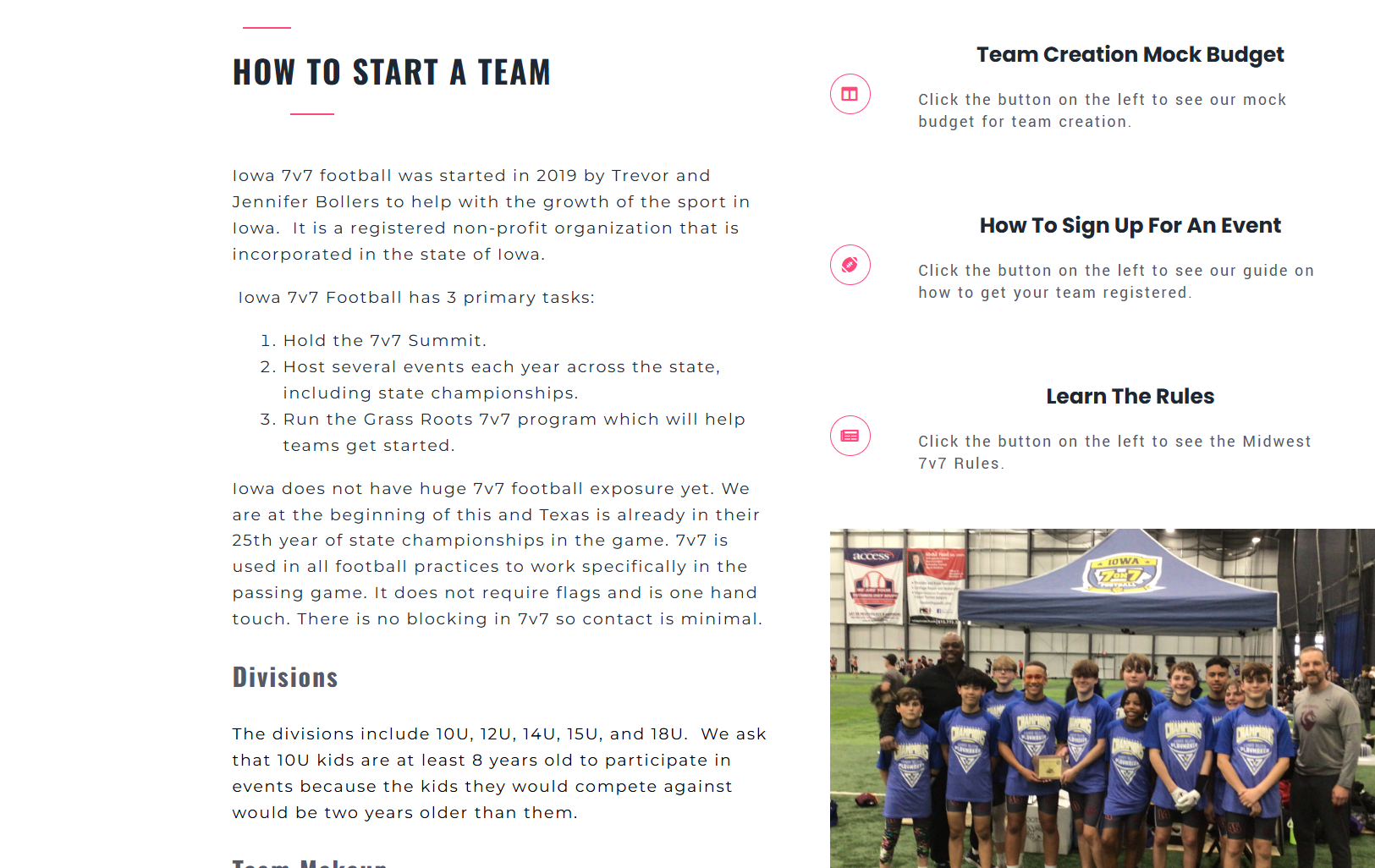
Things included in that post -

Step 1 -
Click the button below. This will bring you to our event management software where you will create your team, send roster spots to parents, and sign up for event.
This is also where we will have all our scores and data tracking for tournaments. It is the hub for all 7v7 data in the Midwest.
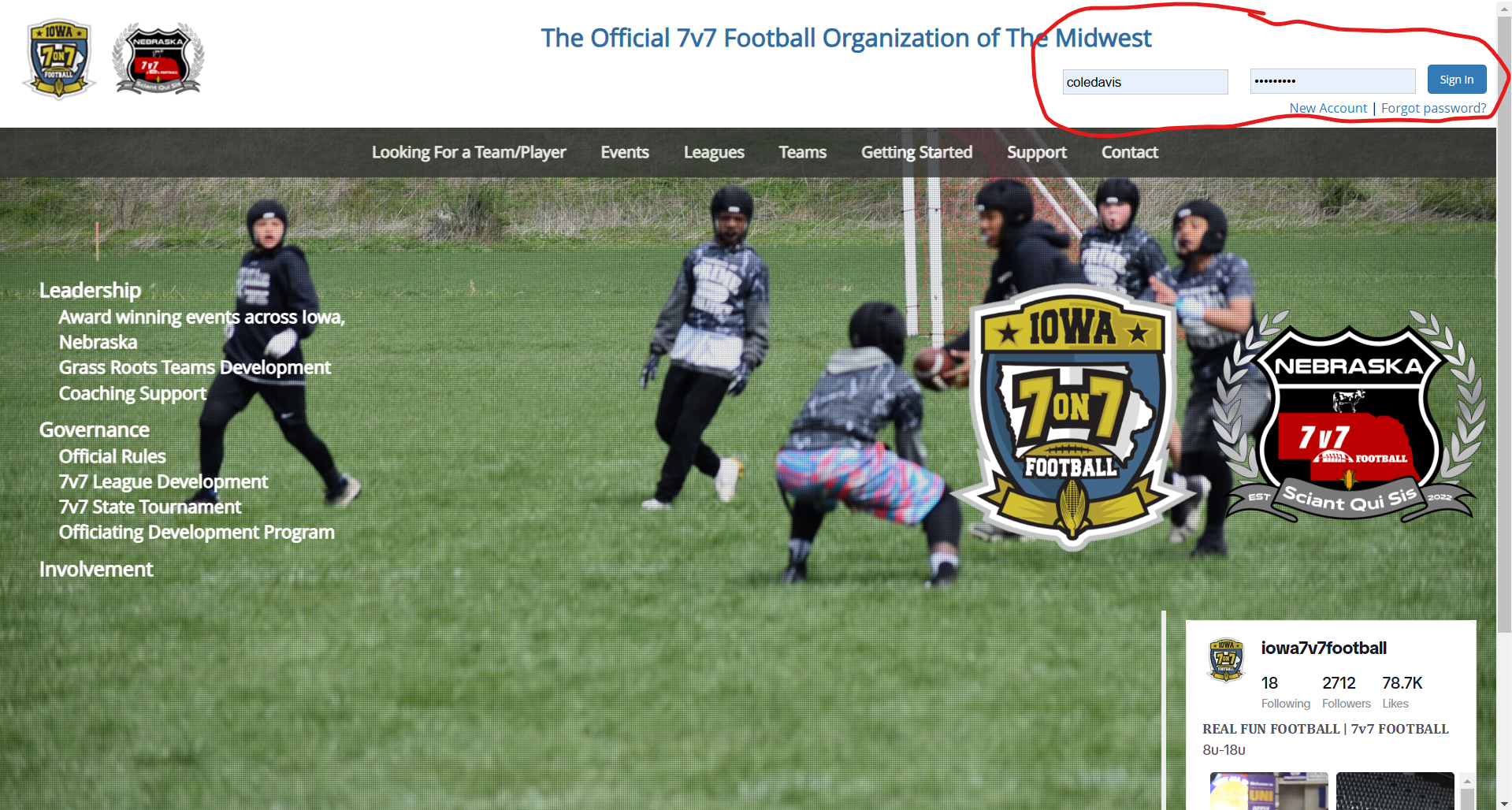
Step 2 -
On the top right, you can either create an account or sign in.
If you are creating an account, team administrator is the role you will want for setting up your team.
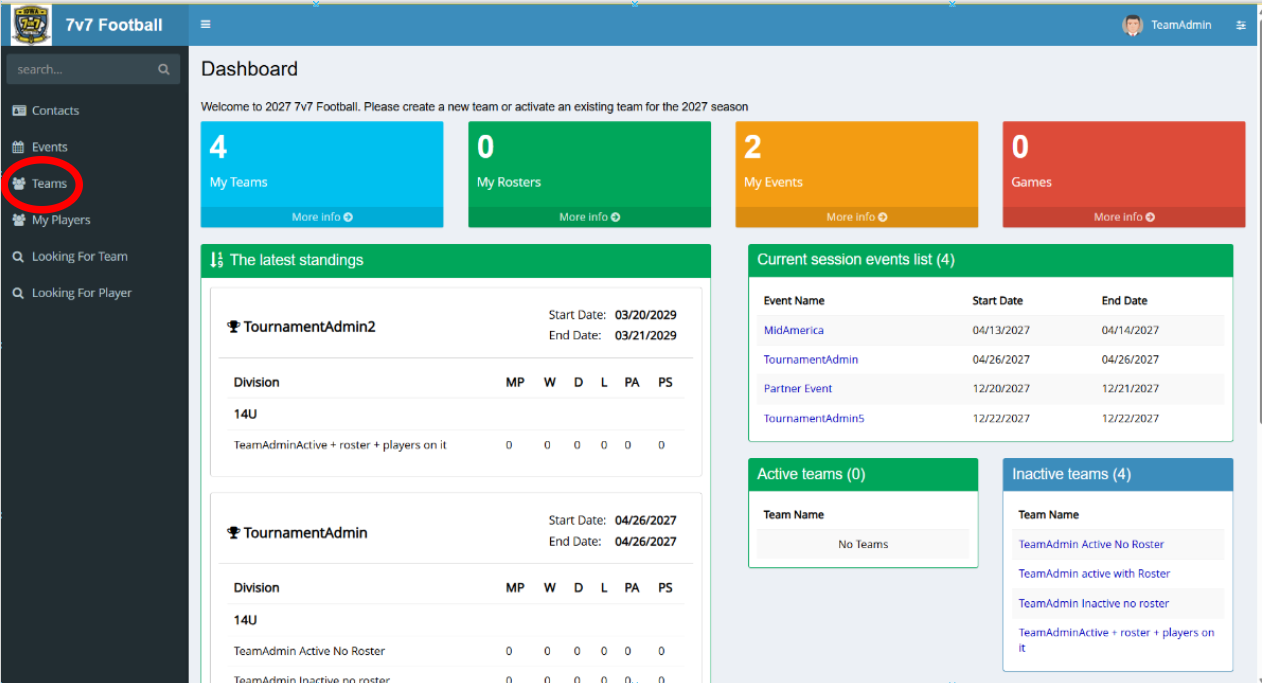
Step 3 -
After you log in, if will bring you to your dashboard. From here you will want to click on My Teams on the dashboard or Teams on the left side tab.
On this section you will be able to create teams, add players to your team, and view your data from tournaments.
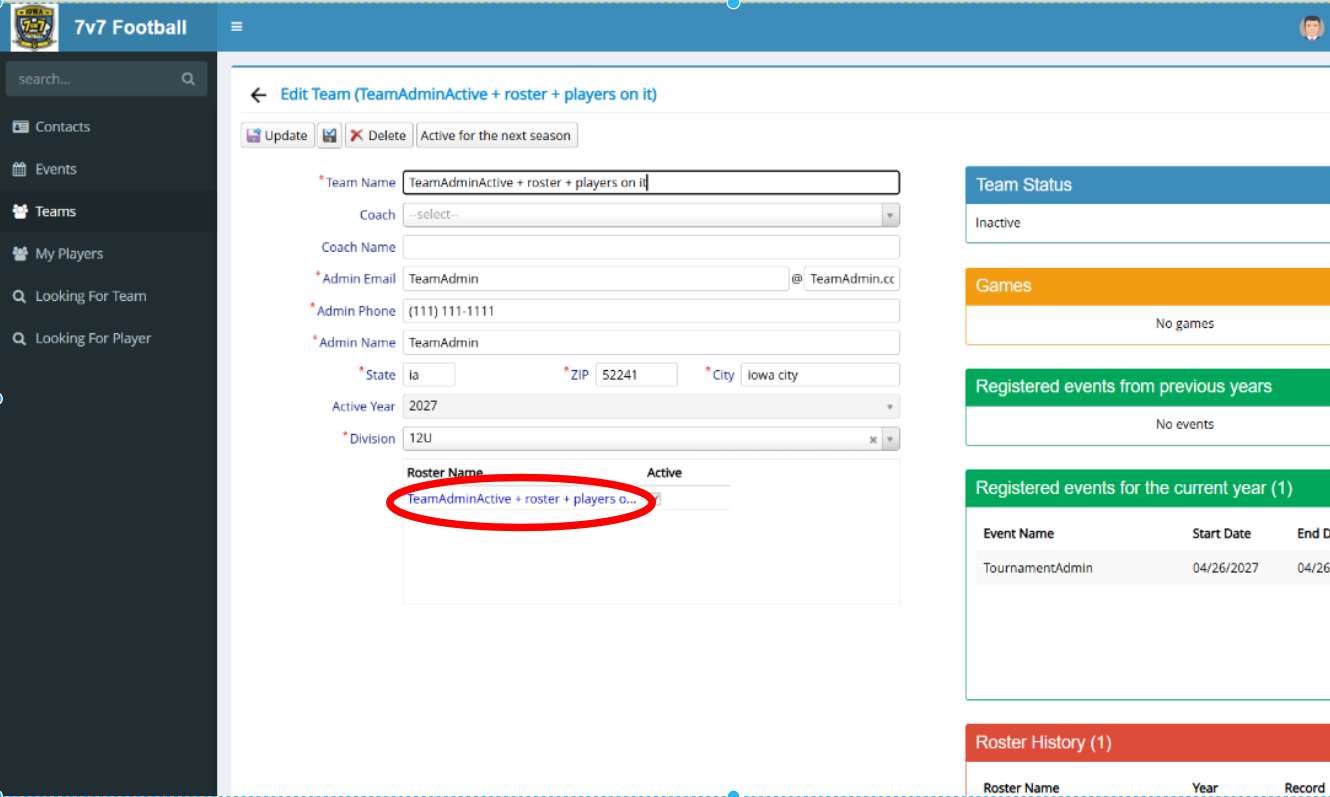
Step 3 -
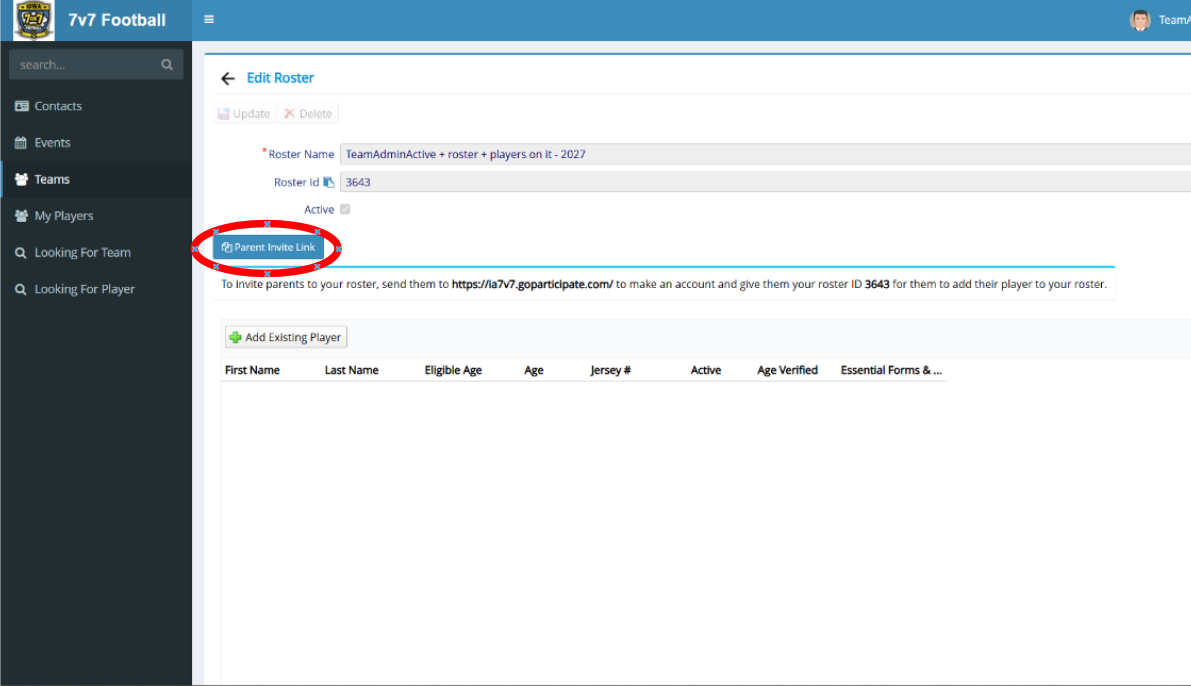
Click on your team's roster. All teams will only have one roster for the season, if you need multiple, please contact us and we will add another for you.
Step 4 -
Click on your parent invite link. This will copy the invite message to your clipboard to send to your parents. You can also just share the website and your roster ID with them too. Using this, they will add their player to your team, and there is nothing else that is needed other than making sure your players are on your team and registering for events.
Step 5 -
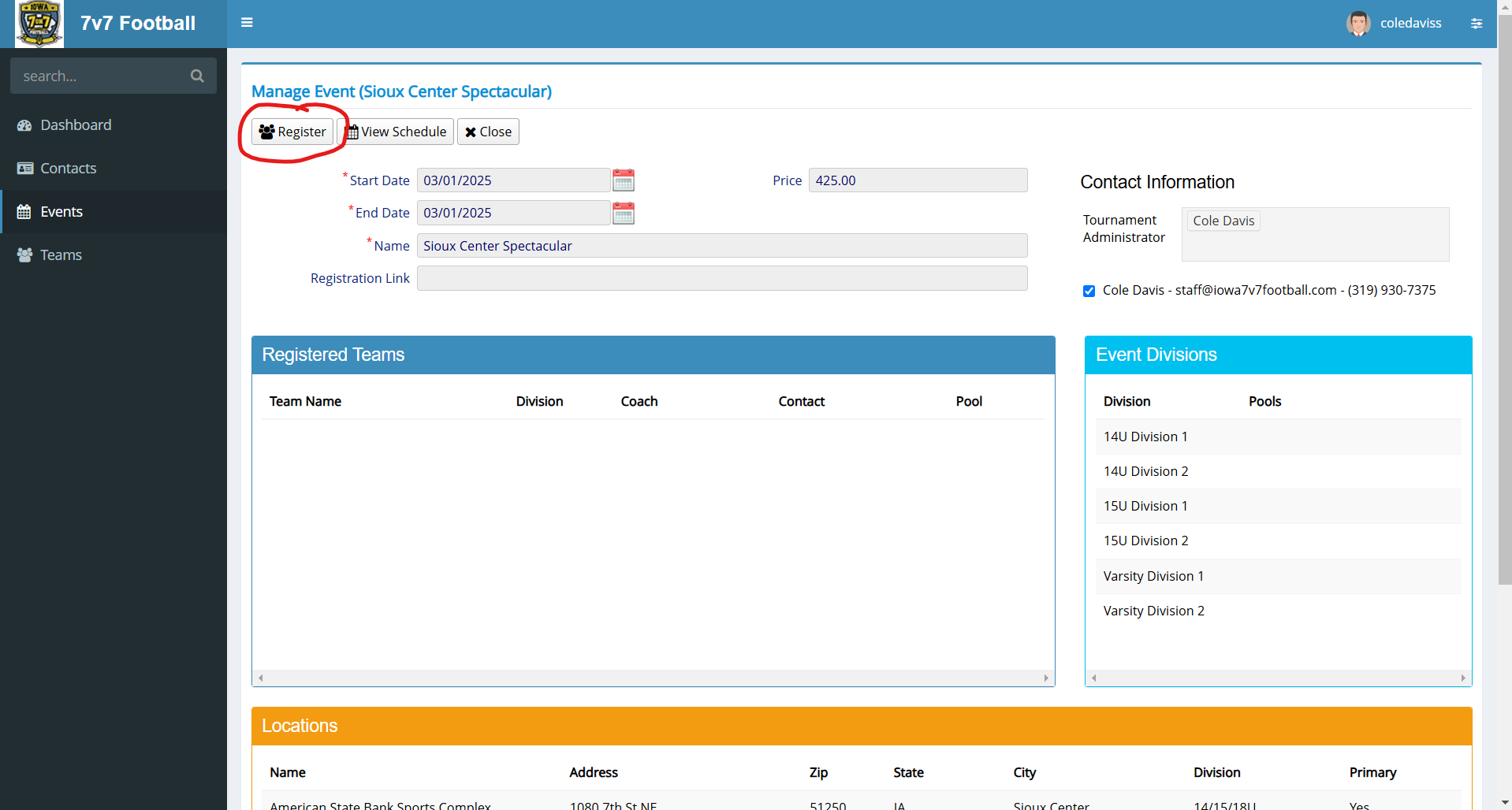
Once you have your team created you can click the Events tab to view current tournament offerings. Clicking on the event will show all details regarding cost, location, divisions, and teams signed up.
On the event page at the top you can select Register and this will prompt you to pay the registration fee through Stripe. If you need another payment method or have any questions reach out to us at (319) 930-7375 or staff@iowa7v7football.com.